Ledgerline
A personal finance and money manager that keeps everything on your device.
Working prototype with no server: all data stays in your browser. Sign-up only creates a profile on this device (the password is kept as a salted hash in this browser), so do not reuse a real password. The passcode lock hides the app but is not encryption. Exchange rates are values you set yourself, not live rates. The only outside request is Google Fonts.
01Project overview
Track accounts, income, spending and transfers, set monthly budgets, and see net worth and spending charts. A small personal finance manager in one HTML page, with sample data to explore.
Key features
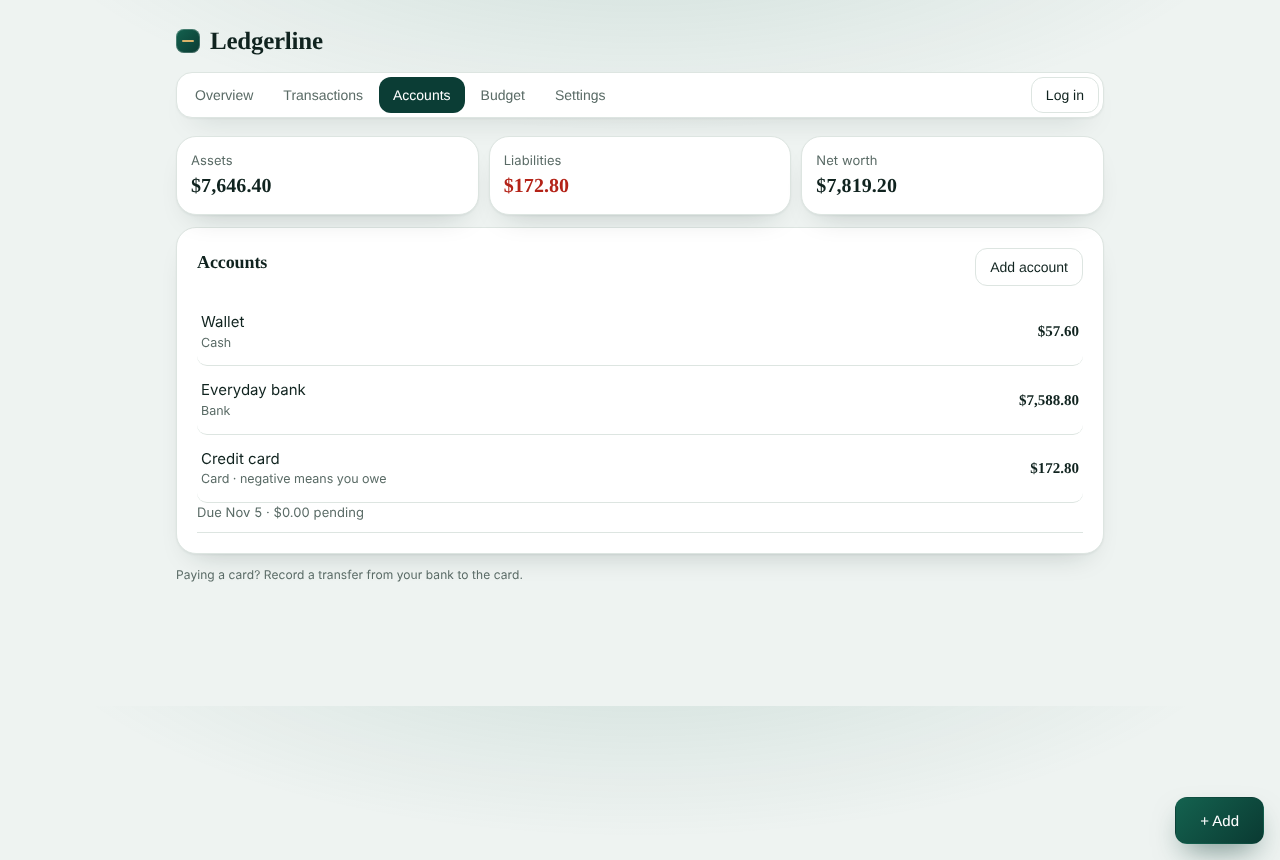
- Accounts for cash, bank, savings, cards and loans, each in its own currency
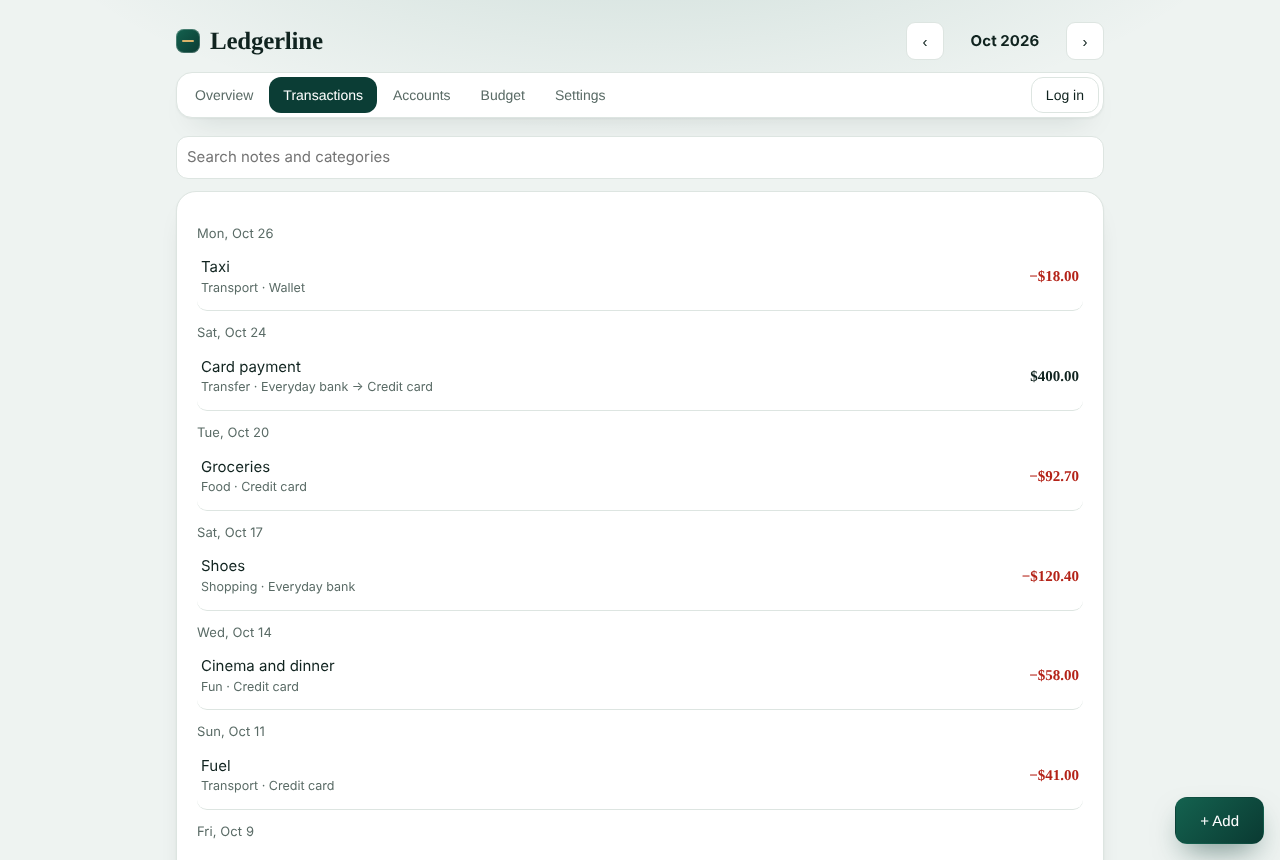
- Income, expense and transfer transactions with categories, sub-categories, notes and search
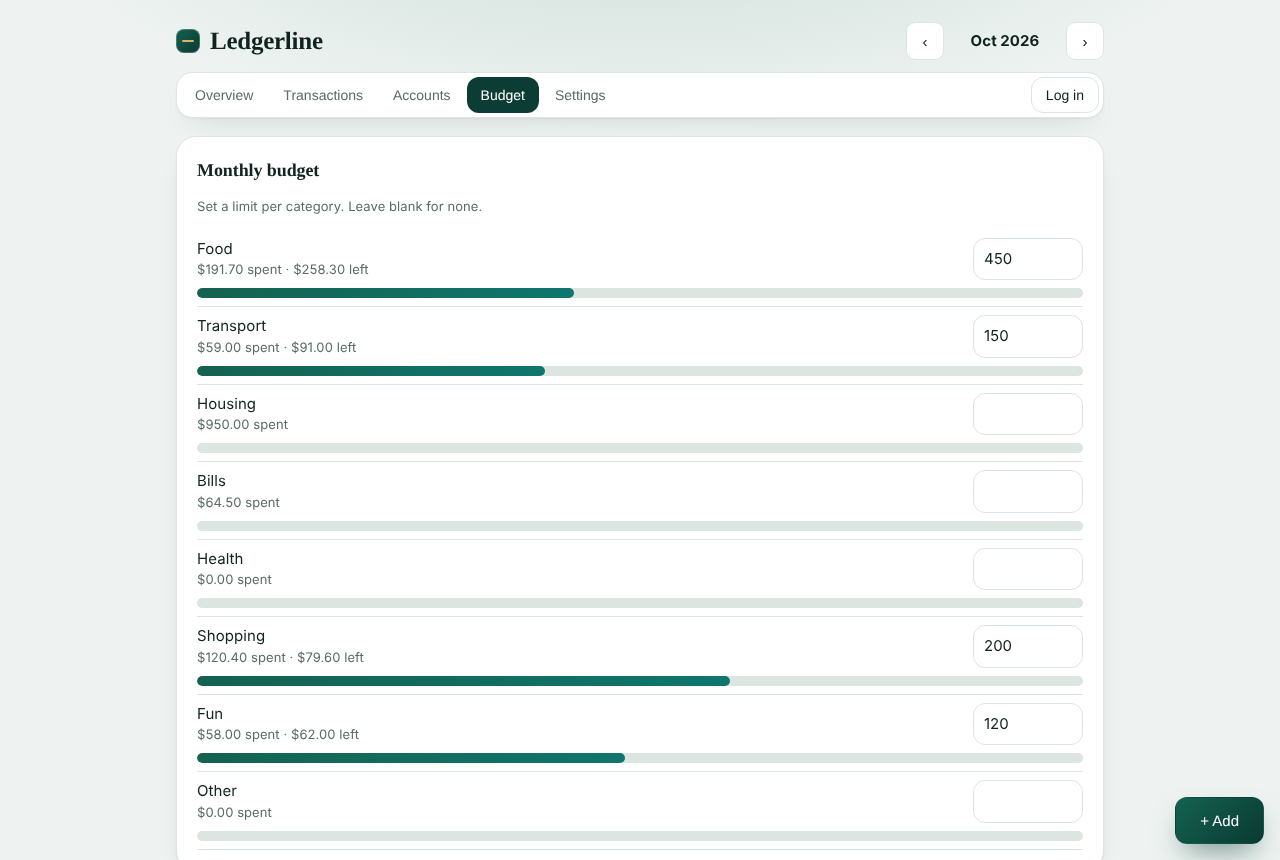
- Monthly budgets with alerts at 80 percent and when over budget
- Credit cards with a due day, a pay-from account and optional auto-settlement
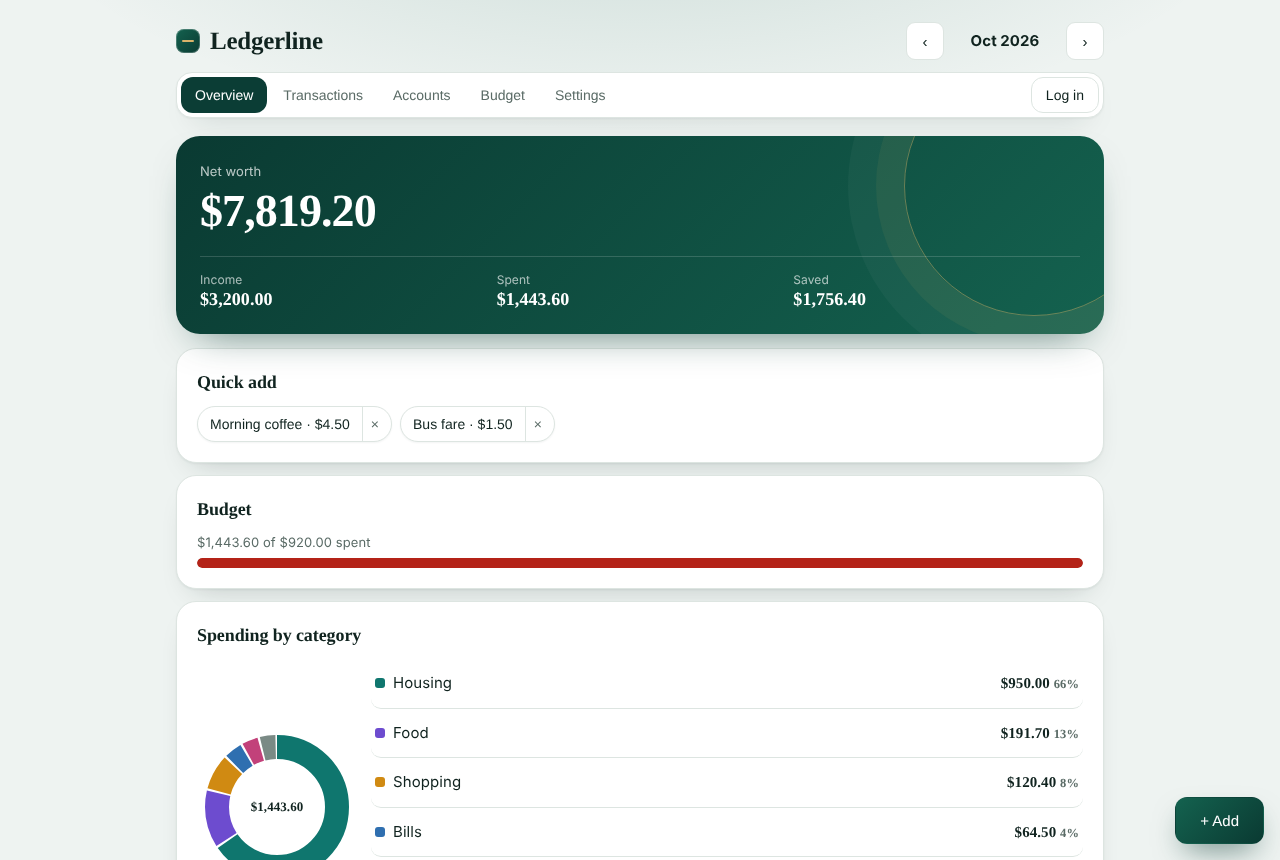
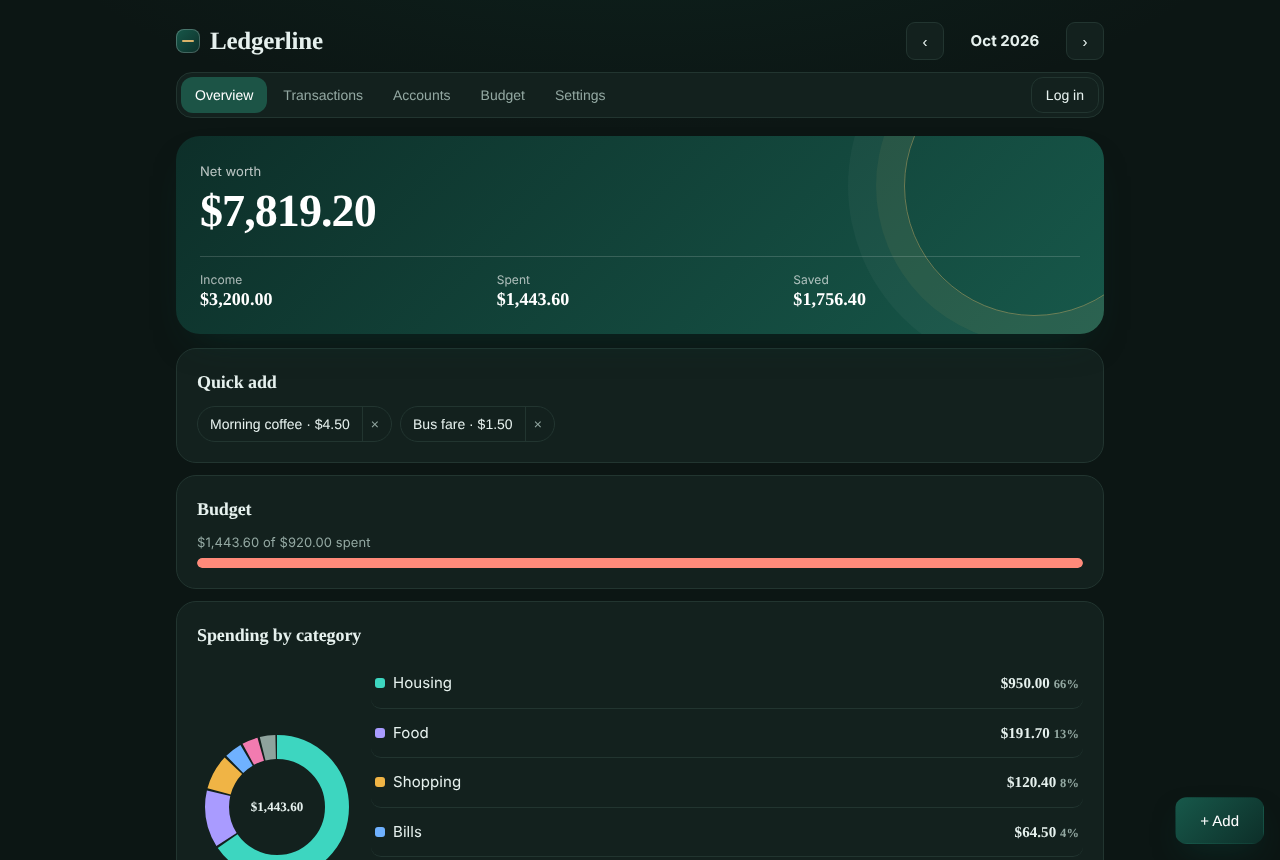
- Quick-add shortcuts, month navigation, and charts for spending by category and by day
- Net worth in your chosen currency using exchange rates you set
- Backup by copy and restore, CSV view, passcode lock, light and dark themes, and sample data
02Problem being solved
Many money apps want an account and a server. This is an experiment in how much a personal ledger can do when the data never leaves the device, while still handling cards, several currencies and budgets.
03Technical architecture
- One self-contained HTML file with plain JavaScript and no framework.
- Each transaction has a from and a to account, so income, expenses and transfers share one model and balances are opening balance plus transactions.
- Data is saved in the browser's local storage, separate for each local profile and for guest use.
- Charts are hand-built SVG with text titles on each segment.
- Profiles use the Web Crypto API (SHA-256 with a per-profile salt) and are stored only in this browser.
Technical documentation
Your data
Everything is stored in this browser's local storage under names that start with ledgerline. Use Backup in Settings to keep a copy, and Erase all data to remove it.
Screenshots
Captured from the real app using its built-in sample data (made-up accounts and transactions). They were taken where Google Fonts could not load, so text appears in fallback fonts.
04Technologies used
- HTML
- CSS
- JavaScript
- SVG
- Web Crypto API
- Google Fonts
05Development process
- Started with the double-entry model so transfers do not count as spending.
- Added budgets and alerts, then cards with due dates and auto-settlement.
- Added multiple currencies, backup and restore, the passcode and themes.
- Replaced the earlier fictional-data finance dashboard in this lab with this working app.
06Interactive demonstration
This is the real app, running in your browser. Tap Try sample data to explore with made-up numbers. Everything stays on this device. If you create an account, it is only a profile stored in this browser, so use Continue without an account or a throwaway password, never a real one.
07Screenshots
08Challenges and solutions
Challenge
Paying a credit card should not look like spending twice.
Solution
A card payment is a transfer from the bank to the card, so the purchase counts once as spending and the payment only moves money between accounts.
Challenge
Transfers between accounts in different currencies.
Solution
The received amount is calculated from your saved exchange rates and stored with the transaction, so balances stay correct if rates change later.
Challenge
Being honest about privacy and security without a server.
Solution
The app says that data stays in this browser, that a passcode only hides the app and is not encryption, and that accounts are local profiles.
09Future improvements
- Test on real phones
- Optional live exchange rates
- Recurring transactions
- An encrypted backup file
10Source code
Source code is not public yet
This project has no public repository. When one exists, add its URL as repo in data/projects.ts and the link appears here.