AI Business Assistant
Turn a rough idea into a structured business plan.
Rule-based: no AI model is connected, and the page says so at the top. Everything you type stays in this browser (the form is saved on this device so it survives a refresh) and nothing is sent anywhere. The only outside requests are React and the fonts, loaded from public CDNs.
01Project overview
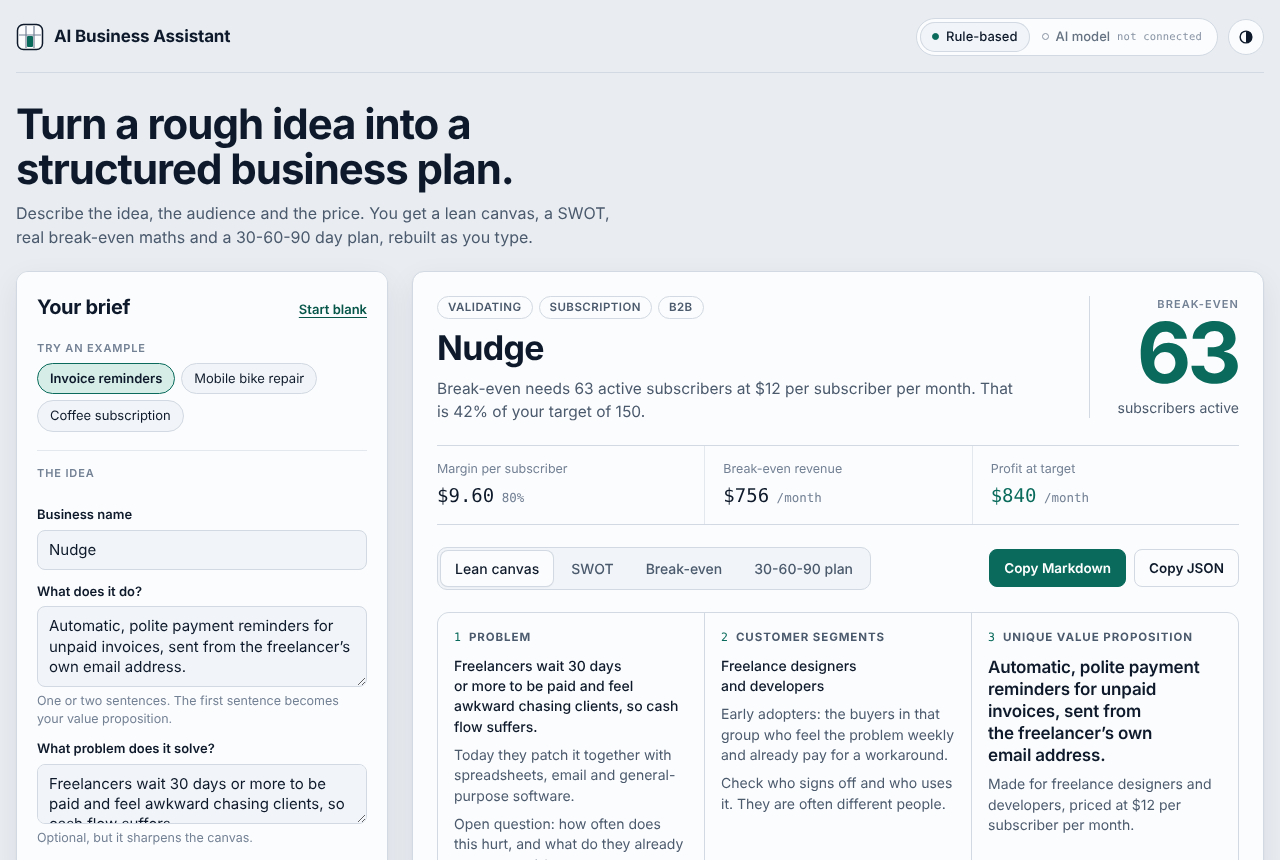
Describe the idea, the audience and the price. You get a lean canvas, a SWOT, real break-even maths and a 30-60-90 day plan, rebuilt as you type. It is rule-based: no AI model is connected.
Key features
- Three built-in example briefs, or start blank
- Fields for the idea, problem, audience, business or consumer, stage, revenue model, currency, price, costs and an optional target
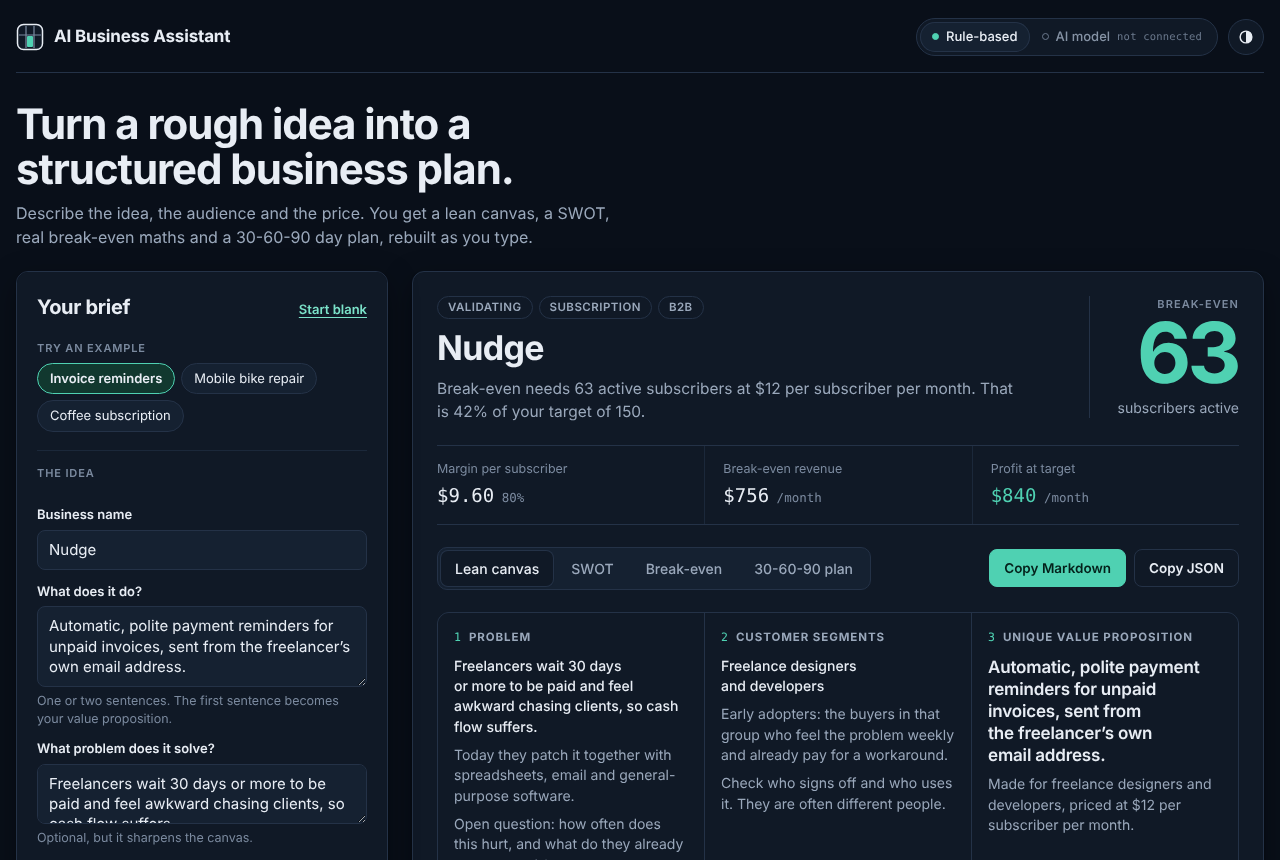
- Break-even shown as the main number, with the margin per customer, break-even revenue and profit at your target
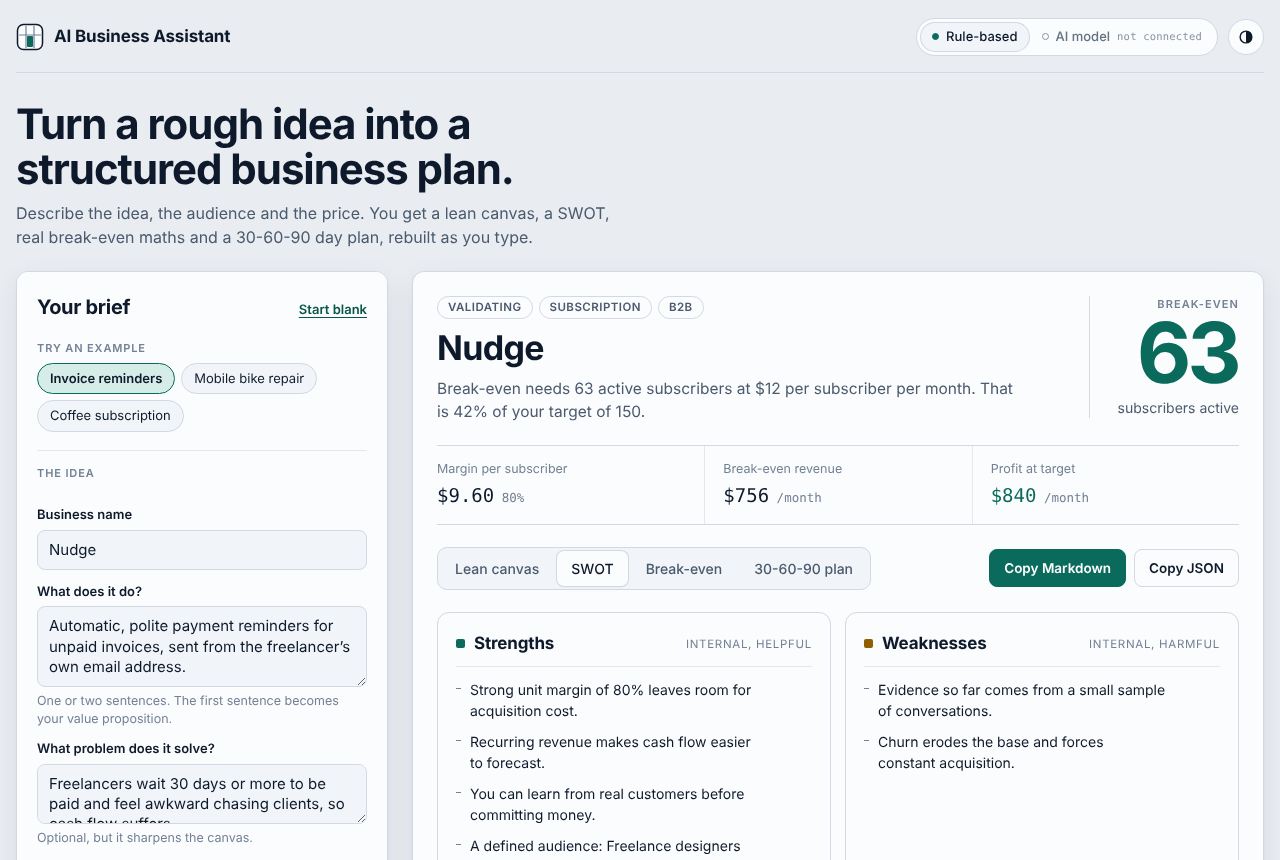
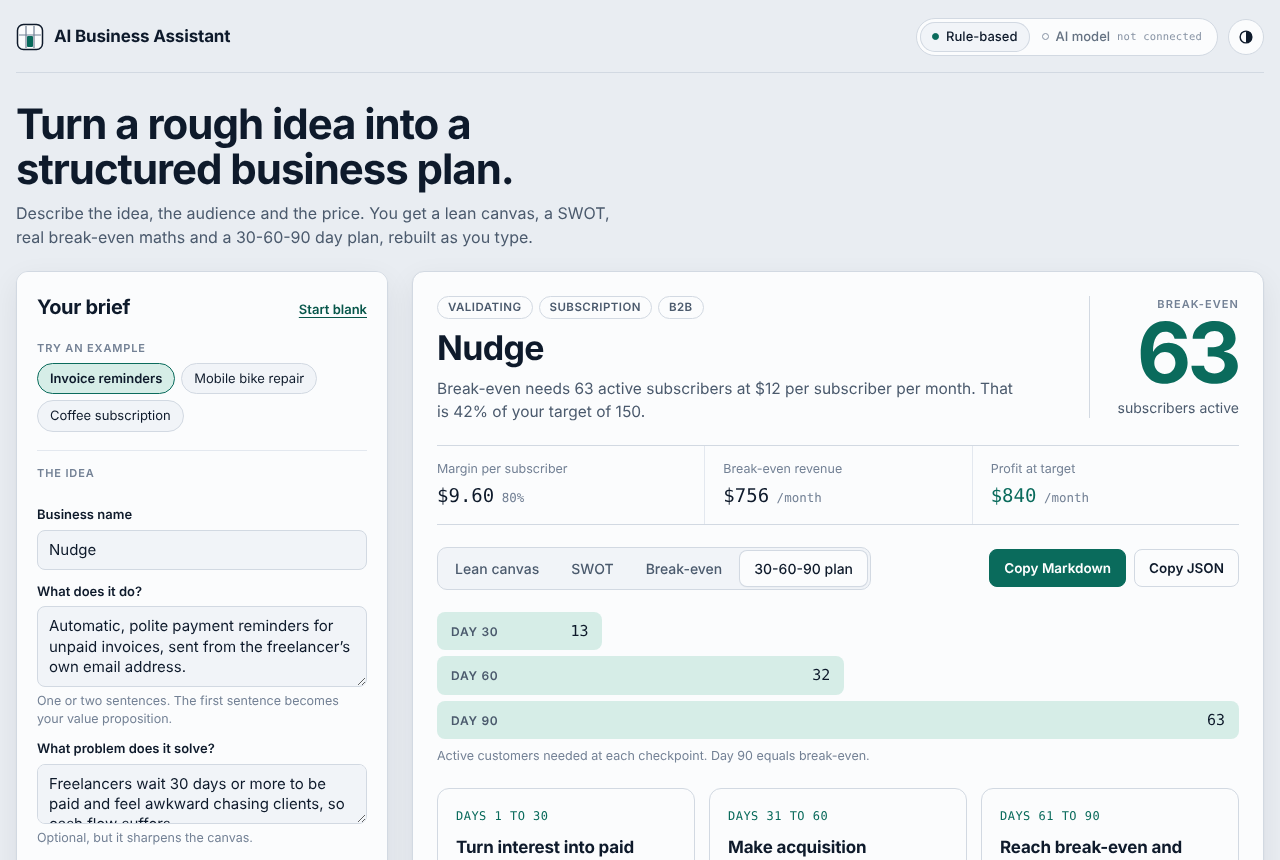
- Four views that update as you type: lean canvas, SWOT, break-even and a 30-60-90 day plan
- Copy the plan as Markdown or JSON
- Light and dark themes; the page states that nothing you type is sent anywhere
02Problem being solved
Early-stage founders often stall at the blank page. A structured starting point makes the next conversation, with advisors or customers, much more productive.
03Technical architecture
- One self-contained HTML file. React 18 is loaded from a public CDN, and the app code is in the page.
- The plan is produced inside the page by rules from the brief. No model and no server are involved.
- The brief and the theme are saved in the browser's local storage, under names that start with aba.
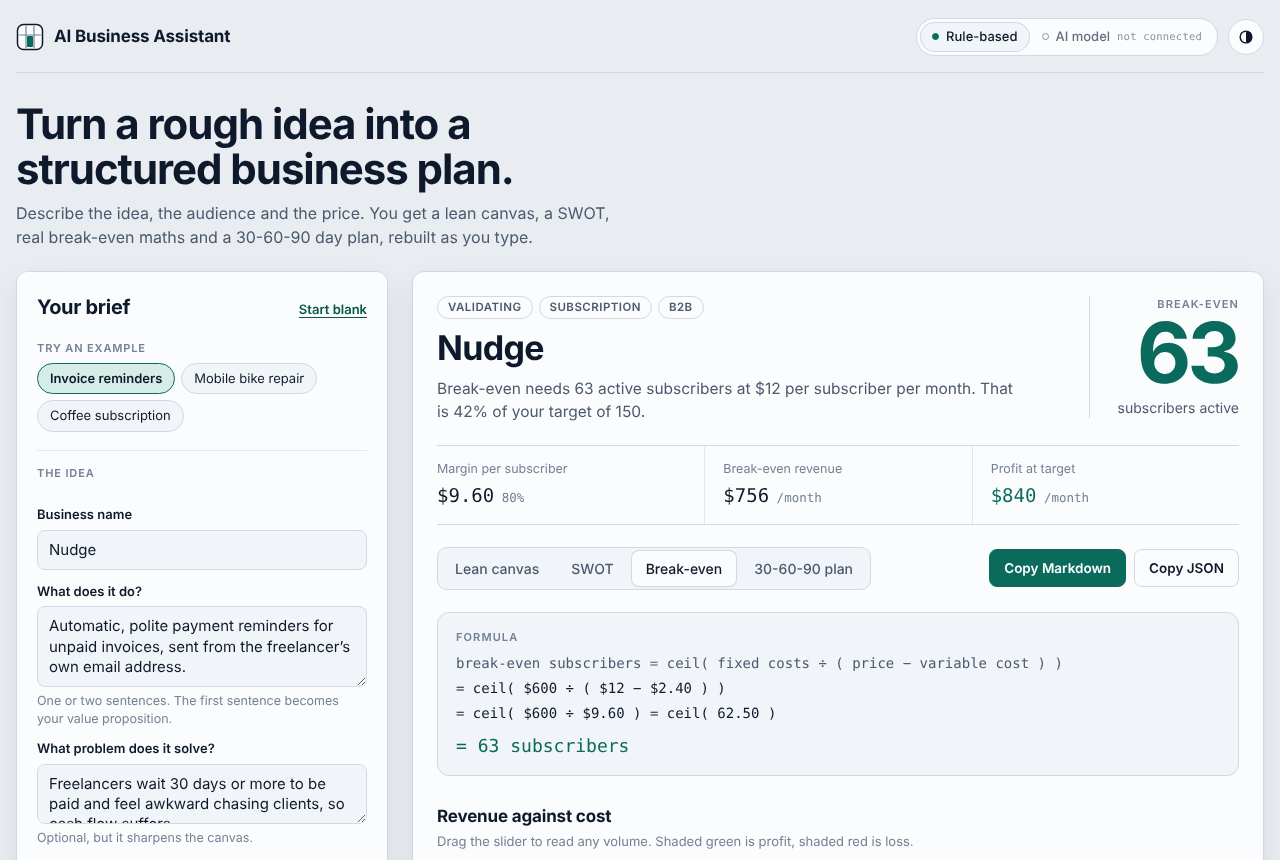
- Break-even uses a single formula, shown on screen next to the numbers it used.
Technical documentation
Break-even formula
Break-even customers = ceil(monthly fixed costs / (price - variable cost per customer)). Defined only when the price is greater than the variable cost. Example: 600 / (12 - 2.40) = 62.5, so 63 subscribers.
Your data
The form and theme are saved in your browser under names that start with aba. Nothing is uploaded. Clear this site's data in your browser to remove them.
Screenshots
Captured from the real page using its built-in Invoice reminders example, which is made-up. Web fonts could not load when capturing, so type looks slightly different live.
04Technologies used
- React 18
- JavaScript
- CSS
- Google Fonts
05Development process
- Put the brief on the left and the plan on the right, so every change shows up immediately.
- Made the break-even figure the one loud number on the page and kept everything else quiet.
- Handled impossible inputs with a plain explanation instead of a wrong number.
- Labelled the tool as rule-based, and the AI model as not connected, in the page header.
06Interactive demonstration
This is the real page, running in your browser. It is rule-based: no AI model is connected. What you type is saved only on this device and is never sent anywhere.
07Screenshots
08Challenges and solutions
Challenge
Avoiding the appearance of AI where there is none.
Solution
The header says Rule-based and AI model not connected, and the page explains that it runs entirely in the browser.
Challenge
Break-even maths with missing or impossible inputs.
Solution
When the price does not exceed the cost per customer, the page shows a dash and says break-even is undefined until the price is higher, instead of showing a broken number.
Challenge
Keeping a private business idea private.
Solution
Nothing is sent to a server. The brief is kept only in this browser's local storage and can be cleared by editing the fields or clearing site data.
09Future improvements
- Plug in an AI model behind the same inputs and outputs
- Export the plan as PDF
- Save several plans instead of only the latest brief
10Source code
Source code is not public yet
This project has no public repository. When one exists, add its URL as repo in data/projects.ts and the link appears here.